
JPG to PDF
We make converting your JPG files to PDF documents fast and easy.
- Upload files to the right to convert JPG images to PDF files.
- Your JPG file is converted to a PDF file in seconds.
- No registration or subscriptions are required.
Upload a file
Proper JPG to PDF Conversion
Combine images into a single PDF for clean sharing, archiving, and printing.
From Images to a Clean PDF
Photos, scans, and graphics keep their resolution and appear on pages with sensible margins. Orientation looks natural, the reading flow is smooth, and large image sets remain organized for reviewers. Captions and handwritten notes stay clear so context is easy to follow in the compiled file.
Arrange images, convert, and download a PDF that is easy to share and dependable across devices. Ideal for receipts, artwork, photo sets, and scanned documents that need a compact, portable format. Keep clarity high while making distribution simple for teams and clients.
Quick and User-Friendly
Our primary goal is to make sure your image files are converted quickly and that PrintFriendly is easy to use. We want anyone, regardless of technical skill, to be able to use our JPG to PDF converter without any confusion.
Other converters require expensive and bulky downloads before you can convert JPG images to PDF files. Here at PrintFriendly, all conversions occur online, making it easy to convert your images and documents into PDF files. Our online tool makes it easy to upload multiple images and convert them into a single PDF document.
Converting JPGs To PDFs
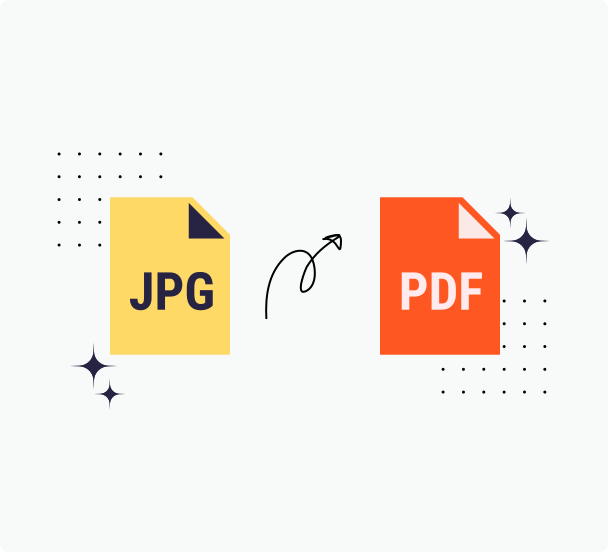
So how does our JPG to PDF conversion process work?
Step 1: Gather your JPG files
Find the images you want to convert from JPG format to PDF format on your computer's hard drive, USB flash drive, smartphone, tablet, or any other storage device. You can create a single PDF file with multiple JPG files, so feel free to upload more than one file.
Step 2: Select the image(s) that you want to convert
Upload multiple JPG images to our free JPG to PDF conversion tool. You don't need to download or install any extra software, and we'll instantly convert your image into one PDF file. This process takes seconds to complete and the results will be a faithful representation of your original files. Our goal is to provide flawless conversion results and content fidelity.
Step 3: Put your new PDF file to work
Now that you've got your PDF, save it, share it, attach it to an email, or do whatever you'd like with it!
The Ultimate JPG to PDF Converter
PrintFriendly makes it easy to convert JPG images to high-quality PDFs. The tool is fast, affordable, and works seamlessly across all devices and browsers. Your images stay private and secure throughout the process, and you get clean, professional-looking PDFs every time without watermarks or hassle.
Fast and Reliable Conversions
Elevate your document conversion experience with our JPG to PDF tool, designed for fast and reliable results. Convert individual images or batches directly while maintaining high-quality formatting and layout. Unlike other tools, ours preserves resolution integrity, making it ideal for creating PrintFriendly PDFs that impress.
Easily Enhance Your Images
Transform your JPG files to PDFs swiftly with PrintFriendly. Before sharing, enhance your document by adding signatures, annotations, watermarks, and shapes for perfect formatting and layout. Make your images ready for documents in a flash. Enjoy improved quality and professional results.
Always Safe and Secure
At PrintFriendly, we prioritize your security and integrity when converting JPG files to PDFs. Your uploaded files are kept confidential, preserving the original formatting and layout essential for document accuracy. Our secure system guarantees your content remains private, protecting your information from start to finish. Unlike other platforms, our user-focused approach allows you to convert files directly with just a few clicks, making it easy and safe to transform your documents.
Best Customer Support
Need assistance with converting images to PDFs? Our friendly support team is ready to assist. Whether you’re organizing documents or enhancing layout with PrintFriendly features, we simplify JPG to PDF conversions. Experience straightforward, user-friendly transformation with our platform!
Frequently Asked Questions
Check out these commonly asked questions and answers about our service. Please feel free to contact us if you have any additional questions.
Can I convert images to PDF? Are there other document formats that I can convert to PDF?
Yes, you can convert JPGs to PDFs. You can also convert Word documents (DOC, DOCX), Excel files (XLS, XLSX), and PowerPoint (PPT, PPTX) files to PDF.Are my files secure? Do you keep or review any of my files?
Every file uploaded is safeguarded with the use of SSL encryption. We do not review or keep any data that has been processed beyond the time needed for you to download any converted files.
Related Tools
PDF to JPG
Export PDF pages as high-quality JPG images for email, slides, and the web.
Word to PDF
Convert Word documents to PDFs that look the same everywhere—links, images, and styles intact.
Compress PDF
Reduce the size of your PDF files using our compressor—no bulky software required.
PDF Converter
Convert PDFs, images, and nearly any document to and from popular formats with dependable results.