
PDF to PPT
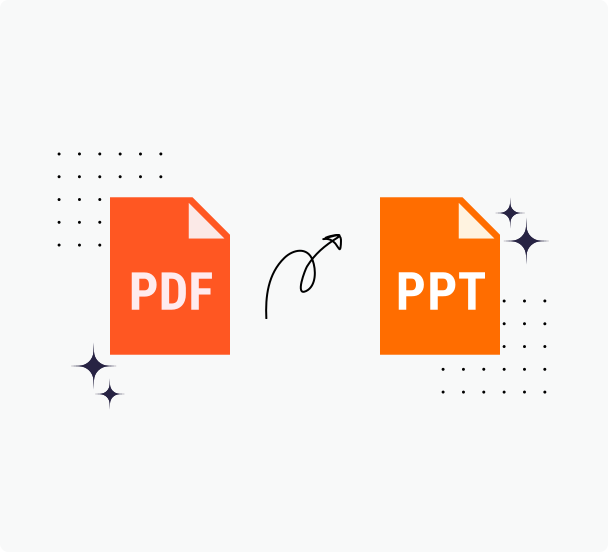
Instantly convert a PDF document into a fully editable Microsoft PowerPoint presentation.
- Convert PDF files without downloading any software.
- Download your PPTX file with just a few clicks.
- Maintain the original formatting of your PowerPoint file.
Upload a file
PDF to PowerPoint That's Ready to Edit
Turn PDFs into editable PowerPoint slides that keep layout, text boxes, and graphics arranged for presenting.
Slide Friendly PDF to PowerPoint
Slides retain titles, body text, images, and backgrounds in the correct positions. Bulleted lists remain lists, grouped elements keep their relationships, and master styles carry through so colors and typography stay consistent. You skip rebuilding layouts by hand and start from a deck that already reflects the original pages.
Convert in the browser and open the .pptx in PowerPoint or Google Slides. Aspect ratios remain sensible, images stay sharp, and text stays legible so the presentation is ready for polish, collaboration, rehearsal, and delivery. Share, revise, and export again without installing extra software or plug ins.
Accurate and Secure Conversions
Want your presentations to come alive? You can quickly convert PDF documents to PowerPoint presentations using our PDF to PPT converter. We make sure that each PowerPoint presentation accurately mirrors your original PDF in terms of design, content, and fonts.
When you convert PDFs to PPTX files with us, we understand the importance of safety and security, so we delete any file you upload to us within a couple of hours. We take pride in the fact that our PowerPoint converter is safe and that your new PPT files are ready to use immediately.
Plus, our platform adheres to industry-leading security protocols, ensuring that every PDF document that passes through our servers is handled with utmost confidentiality and security.
How to Use Our PDF to PPT Conversions
Step 1: To start converting PDF files, click the "Choose" link above to select your PDF file or drag and drop your file into the box. As soon as you do this, our online service displays your content.
Step 2: You can update the page size, add or remove pages, and format your document in a variety of ways. Powered by advanced software that's evolved over decades, our PDF to PowerPoint converter consistently delivers high-quality results.
Step 3: Download your newly converted PPT file onto your computer or mobile device for sharing or printing purposes. It's that easy to use our online tool to convert your PDF to PowerPoint online.
Why Us for PDF to PPT Conversions
Try PrintFriendly today if you're looking for an intuitive and simple way to do PDF to PPT conversion with ease. Our platform is trusted by millions of people around the world who trust us to handle their PDF to PowerPoint conversions.
Works on Any Operating System
Convert your PDFs to PPT directly on any operating system, be it Windows or macOS. No need for Microsoft Office,simply use your web browser for perfect formatting and layout. Transform your documents with PrintFriendly ease, whether you're on a computer or a mobile device.
Easy and Fast Conversions
Convert your PDFs to PowerPoint directly with our tool, no software downloads or lengthy sign-ups required. Upload your PDF, and our converter swiftly transforms it into a PowerPoint presentation, preserving your document's formatting and layout. Experience quick, accurate conversions today!
Highest Quality Output
Experience top-notch quality with our PDF to PPT converter. Your converted documents maintain impeccable formatting and layout, ideal for any presentation or pitch. Post-conversion, easily annotate, sign, and compress your documents to suit your needs. Your PowerPoint file is perfectly aligned for online presentation tools, ensuring a PrintFriendly experience every time. Convert your PDF to PowerPoint with confidence, knowing your document is ready for reliable editing on PowerPoint's platform.
Cloud-Based Processing
Convert your PDFs to PowerPoint online and reduce device strain without software installations, preserving your resources. Trust in our reliable cloud-based platform, which is consistently updated to maintain formatting and layout integrity. Rest assured, PrintFriendly prioritizes your document security with top industry-standard protocols, ensuring safe.
Frequently Asked Questions
Check out these commonly asked questions and answers about our service. Please feel free to contact us if you have any additional questions.
Are my files secure? Do you keep or review any of my files?
Every file uploaded is safeguarded with the use of SSL encryption. We do not review or keep any data that has been processed beyond the time needed for you to download any converted files.
Related Tools
PDF to Word
Get an accurate, editable Word document from your PDF in seconds—fonts and layout preserved.
PDF to Excel
Turn PDF tables into editable Excel spreadsheets while preserving structure and headers.
PPT to PDF
Turn PowerPoint decks into presentation-ready PDFs with consistent fonts, colors, and layout.
PDF Converter
Convert PDFs, images, and nearly any document to and from popular formats with dependable results.